Table of contents
Touchscreen kiosks are back at the center of urban life, but not in the same way everywhere, and the contrast is striking when you compare two cities rolling out similar-looking machines for very different reasons. In one, kiosks are framed as a quick fix for overstretched public services, in the other, they are treated as part of long-term city design, procurement, and maintenance. Behind the glass and steel, choices about security, accessibility, and operating costs decide whether kiosks become useful civic tools or expensive street furniture.
Two cities, two problems to solve
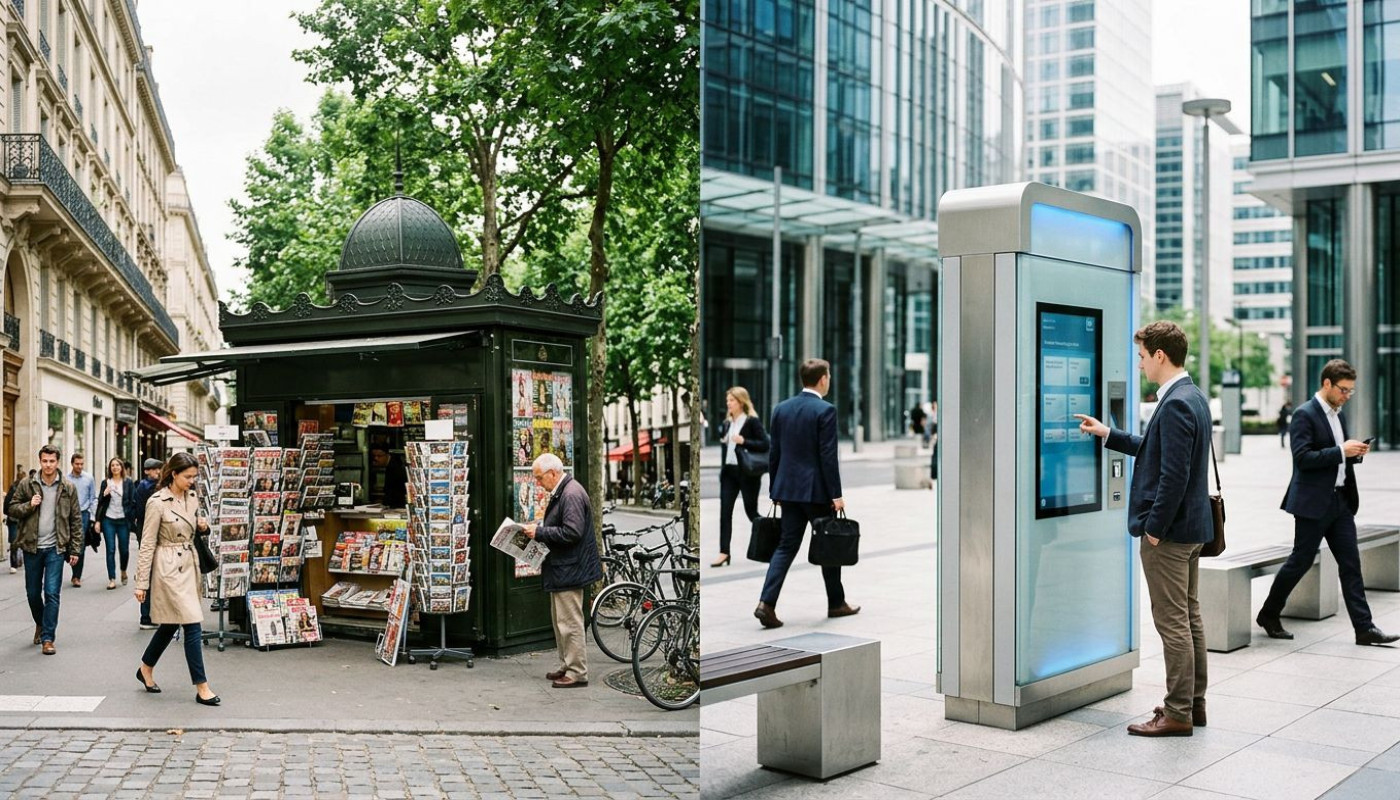
Same object, opposite pressures. City A is wrestling with queues, staffing shortages, and public frustration, so kiosks arrive with an almost emergency logic, automate the basics, reduce face-to-face bottlenecks, and show “visible action” in months, not years. City B, by contrast, is less driven by crisis management than by scale, it wants to serve a growing population and a heavier tourist flow without expanding counters indefinitely, and it tends to treat self-service terminals as part of the urban interface, like signage, ticketing, and wayfinding.
Those starting points matter, because they shape everything downstream, from where kiosks are installed to what they are allowed to do. In fast deployments, the priority is usually the narrowest set of transactions that deliver immediate relief, bill payments, basic permits, simple check-ins, quick retail ordering, and appointment confirmation. In slower, design-led deployments, the conversation turns to integration, multilingual content, accessibility compliance, and uptime targets, because the city is implicitly committing to the kiosk as an everyday public device rather than a temporary overflow valve.
The operational reality is that kiosks rarely succeed or fail on “tech” alone, they succeed when the city’s problem statement is honest and specific. The most common mismatch is deploying a sophisticated touchscreen where the main pain point is actually process design, or launching a kiosk network without a plan for support staff, replacement parts, cleaning, and incident reporting. When expectations are set by political timelines instead of service needs, self-service becomes a promise it cannot keep, and the public notices quickly.
That is why the best-performing programs often begin with something unglamorous, a map of the top ten transactions by volume and time, and a clear answer to a blunt question: what will a kiosk do that a phone cannot? If it is merely duplicating a mobile website, the case is weak, but if it reduces steps, verifies identity securely, prints documents on demand, or provides access in places with poor connectivity, then the kiosk is not a gimmick, it is infrastructure.
Security and uptime decide public trust
One breach, and the whole project is on trial. Kiosks sit in a difficult zone between consumer electronics and critical service endpoints, they handle payments, personal data, and sometimes identification, yet they are deployed in semi-public spaces, exposed to vandalism, shoulder surfing, and opportunistic tampering. City A, rushing to launch, may lean on standard device hardening and basic monitoring, and that can work for low-risk use cases, but it becomes fragile as soon as transactions involve regulated data or identity checks.
City B tends to think like an operator from day one, and the difference shows in procurement documents and technical standards. Security is not only encryption and access control, it is also physical design, locks, tamper detection, screen privacy options, compartmentalized components, and clear rules for remote updates. Patch management is often the silent killer: kiosks that cannot be updated quickly become liabilities, and updates that are pushed without testing can break peripherals, printers, scanners, payment modules, and then the public experiences the “out of service” screen as a verdict on the entire system.
Uptime is not a vanity metric, it is the user experience. For high-traffic environments, many operators aim for reliability targets closer to what people expect from ticket gates or ATMs, not from consumer tablets, because a kiosk that fails repeatedly is worse than no kiosk at all, it forces people to switch channels mid-task, it increases queue anxiety, and it trains users to avoid the machine next time. The strongest deployments treat maintenance as a budget line, not an afterthought, with defined response times, local technicians, spare-part inventories, and remote monitoring that flags faults before the morning rush.
Hardware choices are part of that trust equation, and cities are learning that “cheap to buy” is often “expensive to run”. A robust enclosure, industrial-grade components, and modular design can raise purchase prices while lowering downtime and call-outs, and over a multi-year lifecycle, that trade-off can be decisive. For readers tracking the market’s direction, vendors such as Aventech illustrate how kiosk design increasingly revolves around durability, adaptability, and integration options, because the buyer is no longer purchasing a screen, it is purchasing a service channel.
Accessibility is where design becomes political
If kiosks serve everyone, they must work for anyone. That sounds obvious, yet the gap between intention and execution remains wide, and the consequences are not abstract. When a kiosk cannot be used by a wheelchair user, when the interface assumes perfect vision, when audio guidance is missing in a noisy station, or when the language options ignore a city’s reality, self-service stops being empowerment and becomes exclusion, and cities that promote kiosks as modern public service tools can quickly face reputational backlash.
City A’s rush often leads to accessibility bolted on late, a larger font option here, a simplified flow there, and while incremental improvements help, they do not fix fundamental issues like screen angle, reach range, glare, and tactile navigation. City B, more deliberate, is more likely to start with accessibility requirements, because it treats the kiosk as public infrastructure. That typically means adjustable audio, high-contrast modes, screen-reader compatibility where feasible, physical button alternatives in specific contexts, and clear compliance with local rules, whether they are framed through disability rights legislation or procurement standards.
But accessibility is not only disability access, it is also digital inclusion. Kiosks can offer services to residents without smartphones, without data plans, or without confidence in online forms, and that is where thoughtful design pays dividends. A kiosk can be a bridge between analog and digital if it is located where people already go, libraries, transit hubs, municipal buildings, clinics, and if it is paired with human support nearby for edge cases. The key is not to pretend kiosks eliminate staff needs, the key is to shift staff time toward assistance, problem-solving, and higher-value interactions.
Interface choices are political because they signal who the city imagines as the “default” user. A kiosk that opens in English in a multilingual neighborhood, that times out quickly, that hides help behind menus, or that requires flawless typing, sends a message of impatience. Conversely, a kiosk that welcomes the user, guides them with clear steps, confirms actions, and provides receipts or printed outputs when needed, makes digital government feel concrete. This is why cities that succeed with kiosks often invest as much in user research and content design as they do in hardware.
The hidden cost: procurement, upgrades, and support
The purchase price is only the headline. The true story sits in contracts, service-level agreements, and the slow grind of upgrades. City A, trying to move fast, may accept short warranties, limited spare parts, and minimal training, then discover the long-term bill in downtime, replacements, and rushed add-on contracts. City B, with a longer horizon, often structures procurement around lifecycle cost, demanding clearer maintenance terms, defined upgrade paths, and interoperability with existing systems, because kiosks that cannot evolve become stranded assets.
Integration is where many projects stall. A kiosk is rarely a standalone machine, it needs to talk to payment systems, appointment databases, identity providers, ticketing backends, inventory management, or municipal portals. Each integration introduces dependencies, and each dependency introduces risk when systems change. The most resilient deployments design for modularity, so a payment module can be upgraded without rebuilding the entire unit, and software can be updated without breaking peripherals. Cities that insist on open standards where possible, and that require vendors to document APIs and support timelines, tend to avoid being locked into a single supplier with rising costs.
Then comes the reality of public space. Kiosks need cleaning, especially touchscreens in high-traffic areas, and they need clear responsibility lines: who cleans, who restocks paper, who handles vandalism, who responds when a card reader fails? Without answers, kiosks degrade visibly, and public confidence degrades with them. Environmental factors matter too, sunlight, heat, humidity, and cold can make consumer-grade devices fail early, and external installations bring further requirements, weatherproofing, thermal management, and robust mounting. Cities that treat kiosks as “install and forget” typically relearn these lessons the hard way.
The more strategic approach is to think of kiosks as a managed fleet, with inventory tracking, remote health checks, scheduled preventative maintenance, and planned refresh cycles, much like transit agencies manage ticket machines. In practice, that means budgeting not only for purchase and installation, but also for software licenses, connectivity, security audits, accessibility testing, and periodic hardware replacement. It also means measuring outcomes honestly, not “number of kiosks deployed”, but reduced wait times, completion rates, user satisfaction, and cost per completed transaction across channels.
What it means for residents and operators
Before installing new kiosks, cities should plan bookings and rollouts in phases, start with a limited number of high-volume locations, and reserve budget for maintenance, cleaning, and upgrades from day one. Many jurisdictions can also tap digital inclusion or modernization grants, but only if they document accessibility, security, and measurable service outcomes.
On the same subject

Why Minimalist App Design Elevates User Trust
